

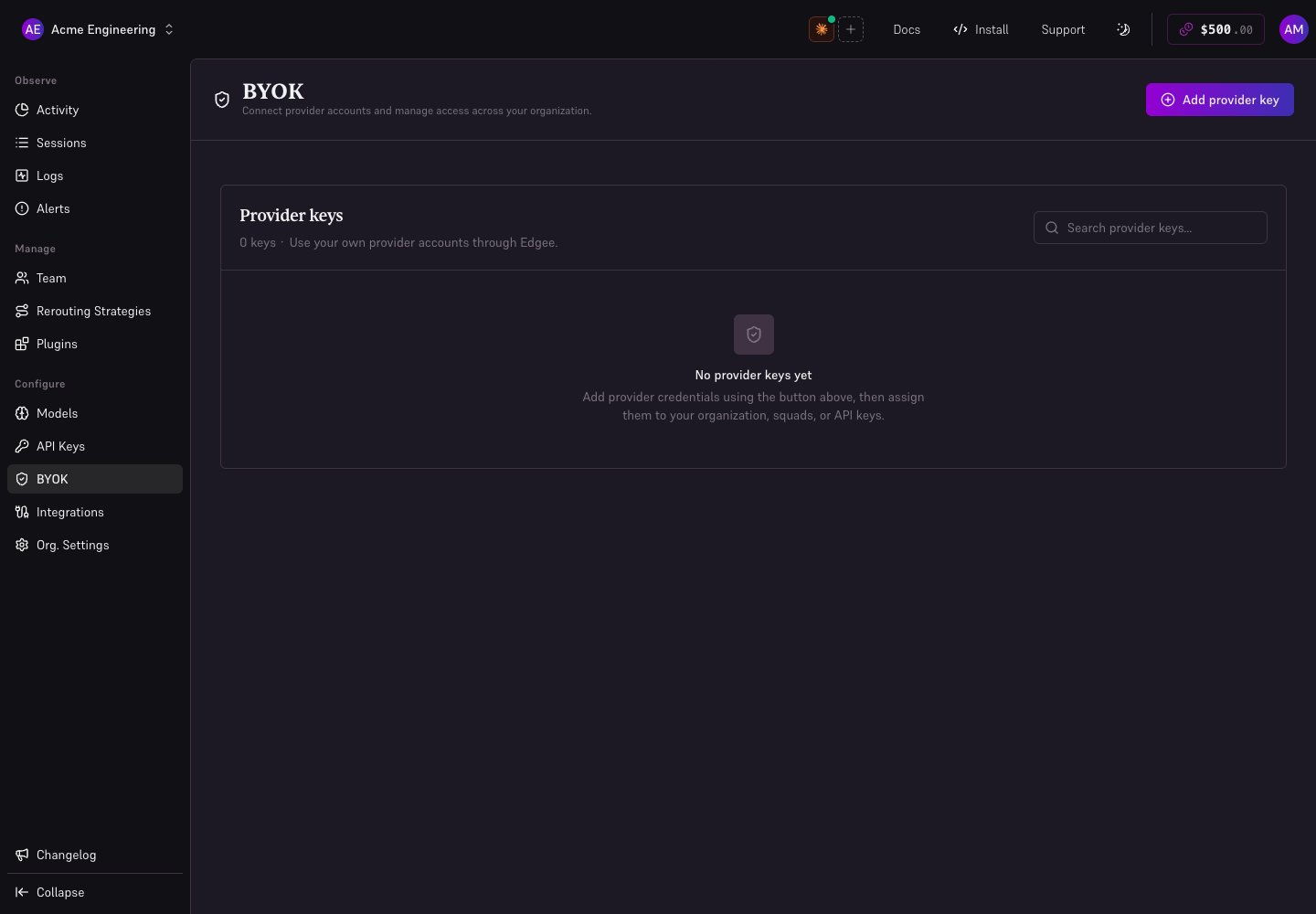
Local demonstration with fictional members and illustrative usage data.
Supported Providers
Adding a Provider Key
Navigate to BYOK in the console sidebar. Click Add provider key. Fill in the form: 1. Provider: select from the list above. 2. Name: a friendly label for this key (e.g.Production Key).
3. Credentials: varies by provider:
-
Most providers (Anthropic, OpenAI, Mistral, DeepSeek, xAI, zAI, NVIDIA NIM, Google Gemini, Fireworks, Baseten, Cerebras Cloud, DeepInfra, Groq, Inceptron, IONOS AI Model Hub, Meta, MiniMax, Nebius Token Factory, Nscale, OVHcloud AI Endpoints, Poolside, TensorX, Together AI, Umans AI, Sference): enter a single API key (e.g.
sk-...). -
AWS Bedrock: enter IAM credentials per region. For each region, provide:
- Region: (e.g.
us-east-1, orglobalfor a single fallback credential set) - Access Key ID: (e.g.
AKIA...) - Secret Access Key:
- Region: (e.g.
- Google Vertex AI: paste the full service account JSON key file downloaded from Google Cloud Console.
-
Azure OpenAI: enter the endpoint URL (e.g.
https://your-resource.openai.azure.com/openai/v1/chat/completions) and API key. - Alibaba Cloud: enter your Model Studio Workspace ID (found on the Workspace Details page), API key, and region (defaults to Germany/Frankfurt).
-
Custom (OpenAI-compatible): enter the base URL of your self-hosted or third-party OpenAI-compatible endpoint (e.g.
https://my-host.example.com/v1), and an API key if the endpoint requires one.
- Check Assign to entire organization to use this key as the default for all requests, across all your Edgee API keys.
- Or select one or more specific API keys.
- Use Squads to assign the key to a group. Review all selected assignments before saving.
- Save: click Add key to create the provider key.
Keys are masked immediately after creation and never revealed again, in the console or through the API. When editing a key, leave the credentials field empty to keep the existing key unchanged.
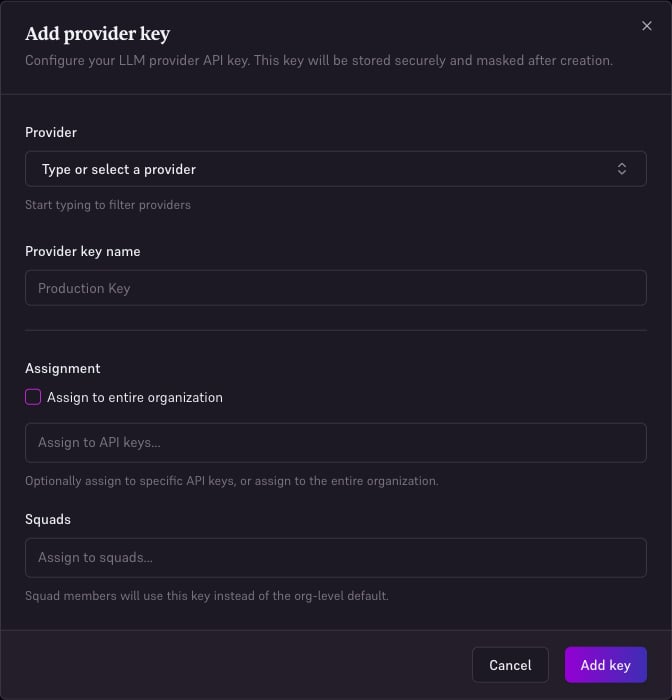
Local demonstration with fictional data.
How your keys are stored
A provider credential is sealed before it is written to storage. Edgee encrypts it with XChaCha20-Poly1305 and holds the data-encryption key in AWS Secrets Manager, under an IAM grant separate from the one that reads the database. Read access to the database alone therefore yields ciphertext, not credentials — which matters because the tables holding them are replicated across every gateway region, so a table export, a point-in-time restore or one over-broad IAM policy in a single region would otherwise be enough. Each sealed value is bound to the row it belongs to: your organization, that provider key, that API key. A ciphertext copied into another row fails to open, so a credential cannot be replayed under a different tenant. The gateway opens a credential in order to call the provider, so this is encryption at rest rather than end-to-end encryption — Edgee can use your key on your behalf, which is the point of BYOK. A key you supply authenticates only your own requests, and only against the provider it belongs to. It is never forwarded to another provider, including during failover or rerouting.Assignment: Organization vs. API Keys
Provider keys can be assigned to the organization or specific API keys. Squads can also select provider keys in their settings:- Organization (all keys): the provider key is used as the default for every request sent through your organization, regardless of which Edgee API key is used. Shown as a purple Organization (all keys) badge in the table.
- Specific API keys: the provider key only applies to the selected Edgee API keys. Shown as blue per-key badges.
AWS Bedrock: Multi-Region Setup
AWS Bedrock requires IAM credentials per region. You can configure multiple regions in a single provider key entry, add one row per region, each with its own Access Key ID and Secret Access Key. Useglobal as the region name to define a single fallback credential set.